At the end of my patience here. Bought an Ender-3 V3 SE for my kids for christmas last year. Bought it in november and when we built it on christmas day, it was faulty. Creality would not refund/replace it as it had been over a month and thats all you get. They did however send me one part after another until finally, after 5 months which included replaced the power supply, motherboard, hot bed, extruder and some other bits, it finally powered up and seemed to be working.
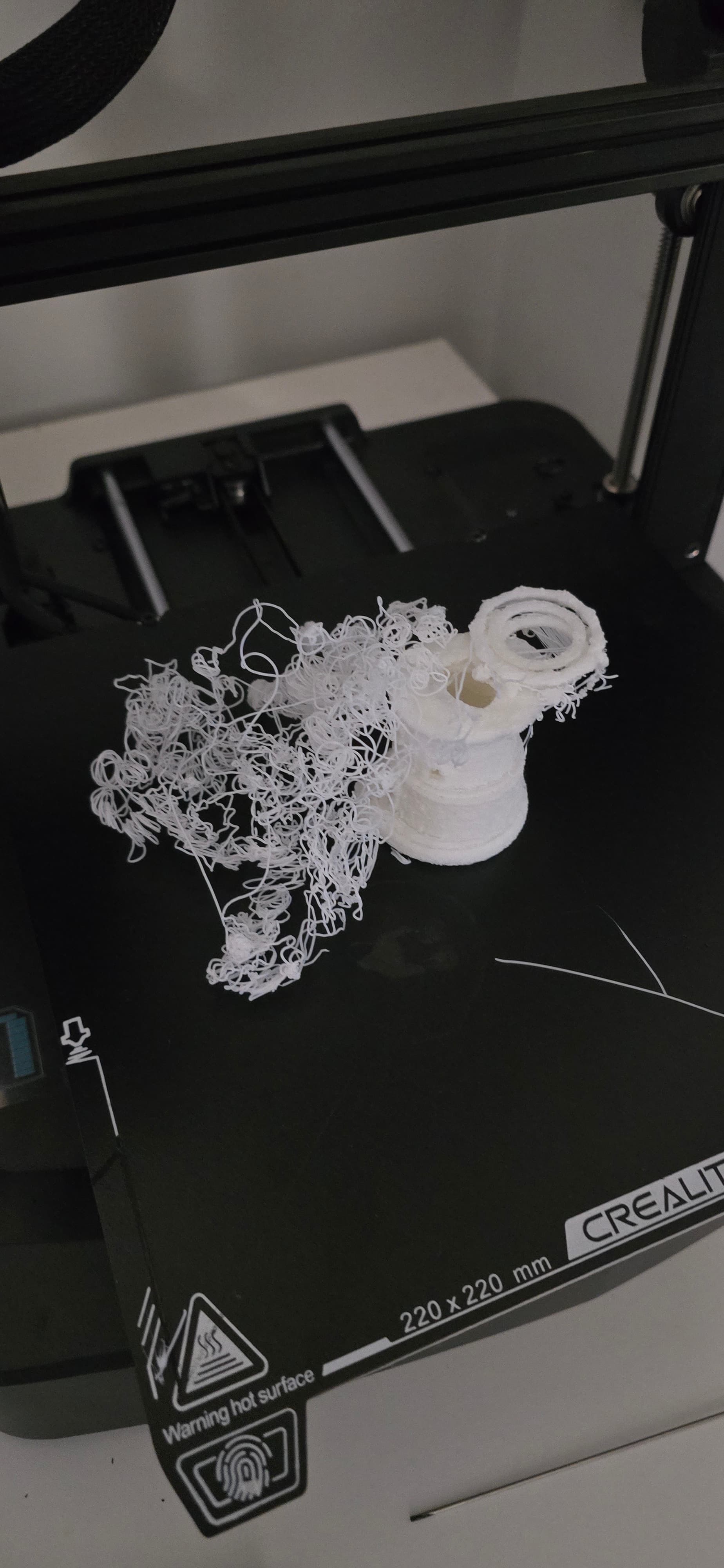
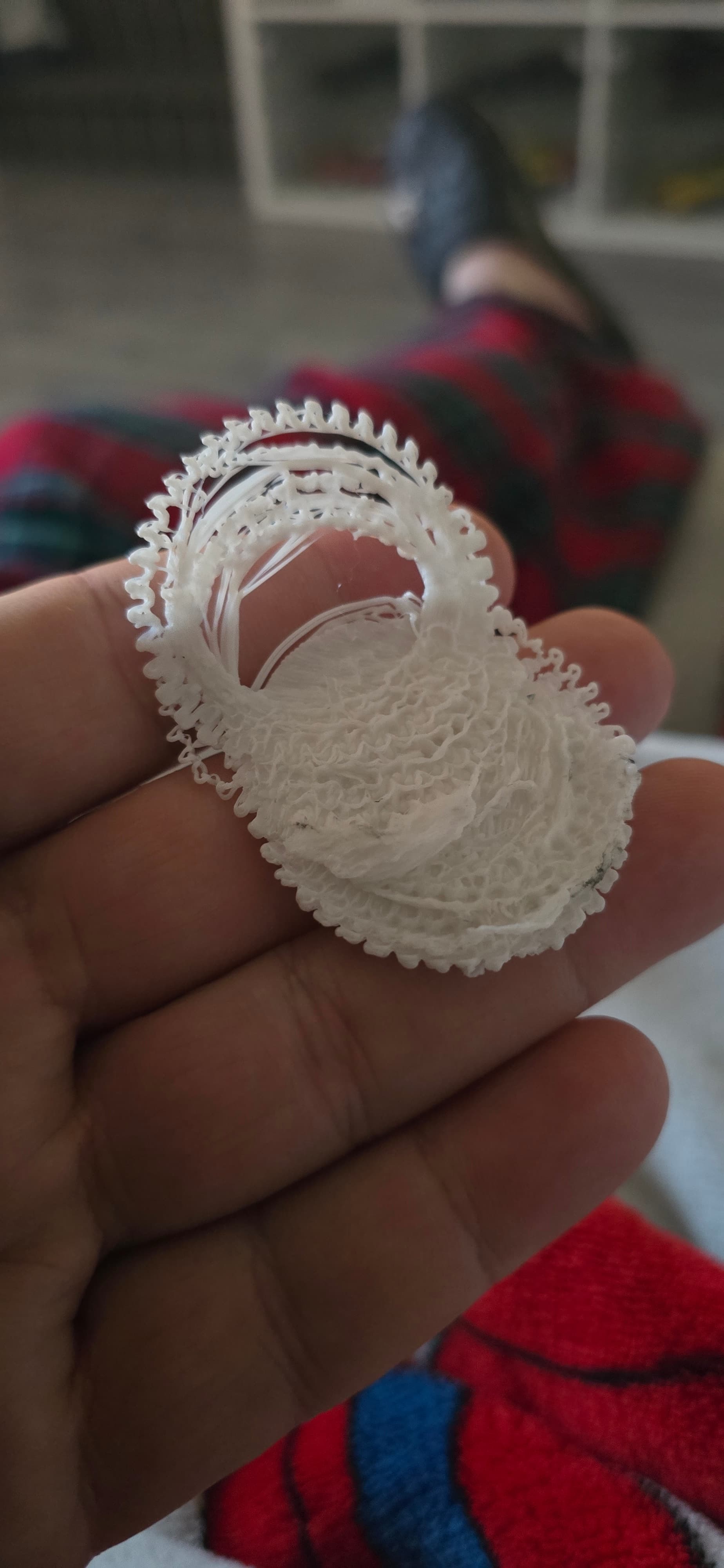
I managed to print the cat and it came out great but everything after that has been a complete disaster. Ive tried and tried with every setting I can but cant get the thing to print. It either starts dragging the plastic around the bed or if it gets further along it ends up all bubbly and goes off centre.
hey there and kudos to you for getti g your printer right..now take a step back,breathe lols and do some research on wet filaments. seems you may have bad ahesion due to badly stored or incorrectly stored filaments.dry your filamets and try again. if you continue to print with wet filament youll get a clog or damage your extruder gears. you also need to enable supports and brim if you are having adhesion issues.wash your build plate with dish washing soap and warm water.dry with clean no oily residue microfibre cloth
Thanks for reply. I’ve seen stuff about drying the filament but thought as it was brand new it would be OK. I’ll try this next. Also is it better to plug the printer into the computer? Using the memory card seems a bit old fashioned
Everything that @Keagan_W_Stephens said and I might add to also clean the plate with a wipe of IPA (isopropyl alcohol) We keep a small spray bottle near each printer and use it after each print.
Also tell us the temperatures you are using. (Build plate and nozzle) Sometimes the build plate temperature that shows on the printer screen is not always accurate and might need to be adjusted. Ours shows 50°C but it varies on different parts of the build plate. We set it up to 60° or 55° most of the time.
As this printer doesn’t have wireless using an SD card is pretty reliable for a connection. If you find a USB cable that is for data use that. Some cables are made only for charging and don’t work well as a data transfer tool. Both ways are good and it depends on your workplace set up.
I have dried the filament for a few hours. Fairly confident it’s not that. Trying to print a simple candle holder, it’s getting the first layer down OK then once it gets to about 3% it starts dragging the print along with it.
Thanks for replies I am ready to launch the thing.
I have been setting the nozzle to 190 and the bed to 60. Z offset is -0. 90
Try bumping up the nozzle temp to 220°C or so. Experiment. Use IPA to clean the bed. Important. A textured build plate works for holding the model. Unless there is something else going on that should work.
When you do an extrude function watch how the filament comes out. It should be a smooth thin stream.
If your print is moving around then surely bed adhesion is the problem. If you are printing at the materials recommended temperatures then check levelling and adhesion options. For the levelling; preheat bed and nozzle, manual level to give paper thickness clearance between bed and nozzle, auto level, then check clearance again at centre. There should be some resistance when push/pulling the paper. I see from your prints that you dont appear to try brim and raft etc option. Try them
I increased the bed temperature to 65 and that seems to stop in moving, it seems to stick to the bed which I think is right? However it seems to be catching as you can see from the last picture it’s going off course massively.
The brim thing is that a setting on the machine or the print program?
IF YOURE NOT USING A CREALITY FILAMENT DRYER FOR 4 TO 6 HOURS ATLEAST,YOURE DRYING NOTHING.. add brim to the object in your slicer software..take time to learn settings for issues.sometimes its our knowledge of products that lets us down,ipa alcohol should be done as an immediate clean never as a permanent solution or maintenance,wash andd dry with dish soap and warm water works best for removing stubborn debris which my cause enlevelled surface.
print at 222 degrees and rinse bed temp from 60 to 65 or 70
I dont feel like its the bed thats the issue. I dont think its slipping until the nozzle catches it. The first layer goes down ok but then it doesnt seem to get out of the way if that makes sense.
Hi, can I come in on this one? It sounds like a lot of the ‘early learning’ problems I had when starting printing (on the same machine).
If your layers are separating, check out your layer thickness setting on your slicer. It should be typically 0.2 or 0.1 Any higher and the extruded filament will not get a chance to adhere to the previous layer. Also selecting ‘brim’ is essential for the tall shape you are printing. You should spend a lot of learning time on the slicer’s settings boxes - change settings just to see what happens!
Finally, using an SD card is the best way to I upgraded my setup to use the 1” square card as they are easier to handle. Connecting the Ender direct to a computer is not good as it means leaving the computer running the full print time - some of my prints take 20 hours to complete (ie, overnight!), in which case put a fire alarm next to the computer before you go to bed.
I have never used the Creality app for creating the gcode files. It appeared to have a poor reputation when I started printing. I have always used Cura. This gives clear options for bed adhesion control, brim, raft, etc. You did not state whether you have carried out any bed levelling. This will ensure a correct z offset.
I have used Creality Slicer 1.2.3 “powered by cura” since I got my first Ender 3 years ago, and it has never let me down.
Brim is an option under ‘Basic’ > ‘Support’ > ‘Platform adhesion type’ on the left hand side. One of the plus points in Creality Slicer under ‘learning’ is that, if you hover your mouse over a setting option, an explanation of its purpose and suggested settings is displayed.
I do the the levelling every time I turn the thing on. Have downloaded cura 1.2.3 and am now trying that. So far doesn’t seem to be sticking to the bed properly even with brim set.