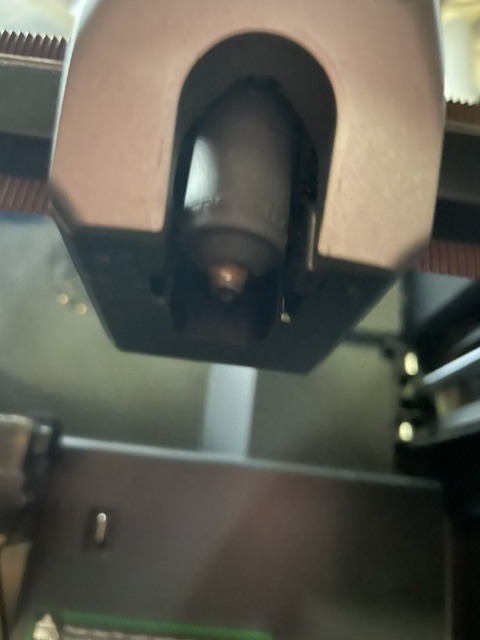
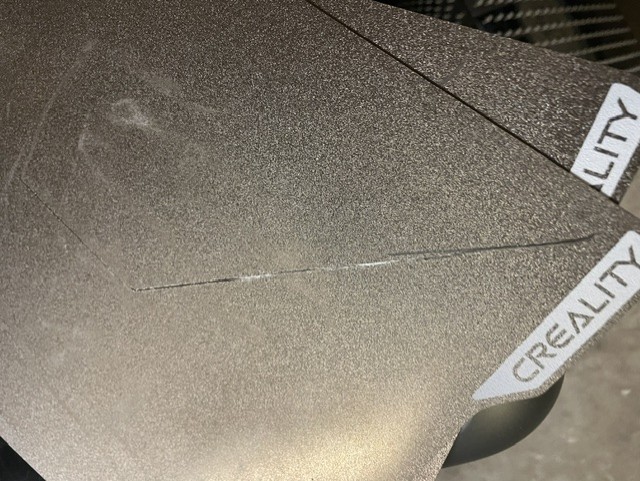
I’m in the same situation as you: two plates completely scratched on all four sides and two broken print heads. I can no longer use the printer, and what can I do to protect myself?
Why do you do a firmware upgrade when the printer was working flawless? If you read this forum about problems with printers, 99% is after firmware upgrades…
I did the last firmware upgrades of my K1 Max printers in 2024… I need them to print, not to be be pretty on a shelf…
Make sure to read the entire post before doing anything to your printer!
Disclaimer: There is no guarantee of success but this is what worked for me.
Hi! I don’t own a k2 pro, but I do own a k2. They have all been having issues with new firmware, and I have found what MIGHT be the fix. Attached is the link to the Creality firmware download page where you can download old firmware. Open the link then click whatever printer you have (K2 Pro from what I’ve gathered). Download 1.1.4.1 because it is the most recent but most stable firmware. Once you have the firmware, format a USB drive to FAT32 and put the firmware onto it. Shut down your printer and plug in the drive. Make sure to shut it down first. Once the drive is plugged in, turn on your printer. There should be an update popup saying to “update”. In reality you are rolling back an update. If you don’t get an update screen, keep your printer on, but unplug and re-plug the drive. Anyway, once you have the update screen, click update and wait for it to finish updating. After you set up your printer again, (Because this might wipe your printer, so use creality print to back up all of your files if you want them) go into settings on your printer and turn auto updates off. From this point on, it will pressure you into updating. Like all the time. DO NOT UPDATE!!!
Again, I cannot guarantee that this will work, but it worked for me when I was having some problems with firmware earlier this year.
Hope this helps! if you have any other questions, feel free to reply to this post and I’ll try to stay on top of it.
For what it’s worth, I recently updated my K2 Plus with V1.1.4.11 and I have run several significant print jobs from the latest version of Orca Slicer and have no issues whatsoever.
Exactly the same feeling I have with the K1 Max. At first, I thought I was retarded, but I could never print two objects in a row without serious issues. Thinking seriously about a Bamboo Labs.